
Import end-of-raid wins
End-of-raid import is how the website learns what dropped to whom. You paste the in-game addon’s end-of-raid export into Step 3 of the raid card and click Import — wins land as WIN events, and the per-item point balance for each winner resets to zero. The page everyone bookmarks (the public link) reflects the new standings immediately.
Three formats are detected automatically. Paste whichever your group exports.
JustAPoint Addon export
Inside WoW: open the addon, click End of Raid. The addon shows the night’s wins with point penalties applied (buff misses, late-rolls, etc.) and a single Copy export button.
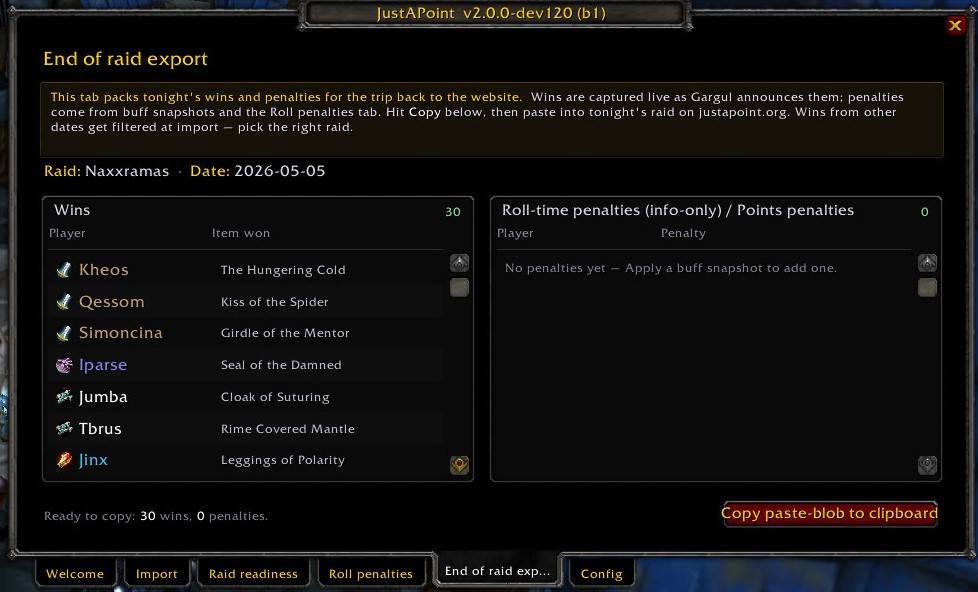
Back on the website: expand Step 3 on the raid card, paste the blob into the textarea, click Import. Toast confirms “Added N wins.”
The JustAPoint export is the richest of the three — it carries the wins, the penalties (which land as adjustments on the raid), and the buff-snapshot diff. If your group uses the JustAPoint addon, this is the export to paste.
Gargul export
Gargul’s /gl export produces a CSV in the shape:
2026-04-22 22:30:00,Arthas,17103,0,409
— one row per win, with dateTime,character,itemID,offspec,id columns. Paste the whole block into Step 3, click Import. The website detects the Gargul shape automatically.
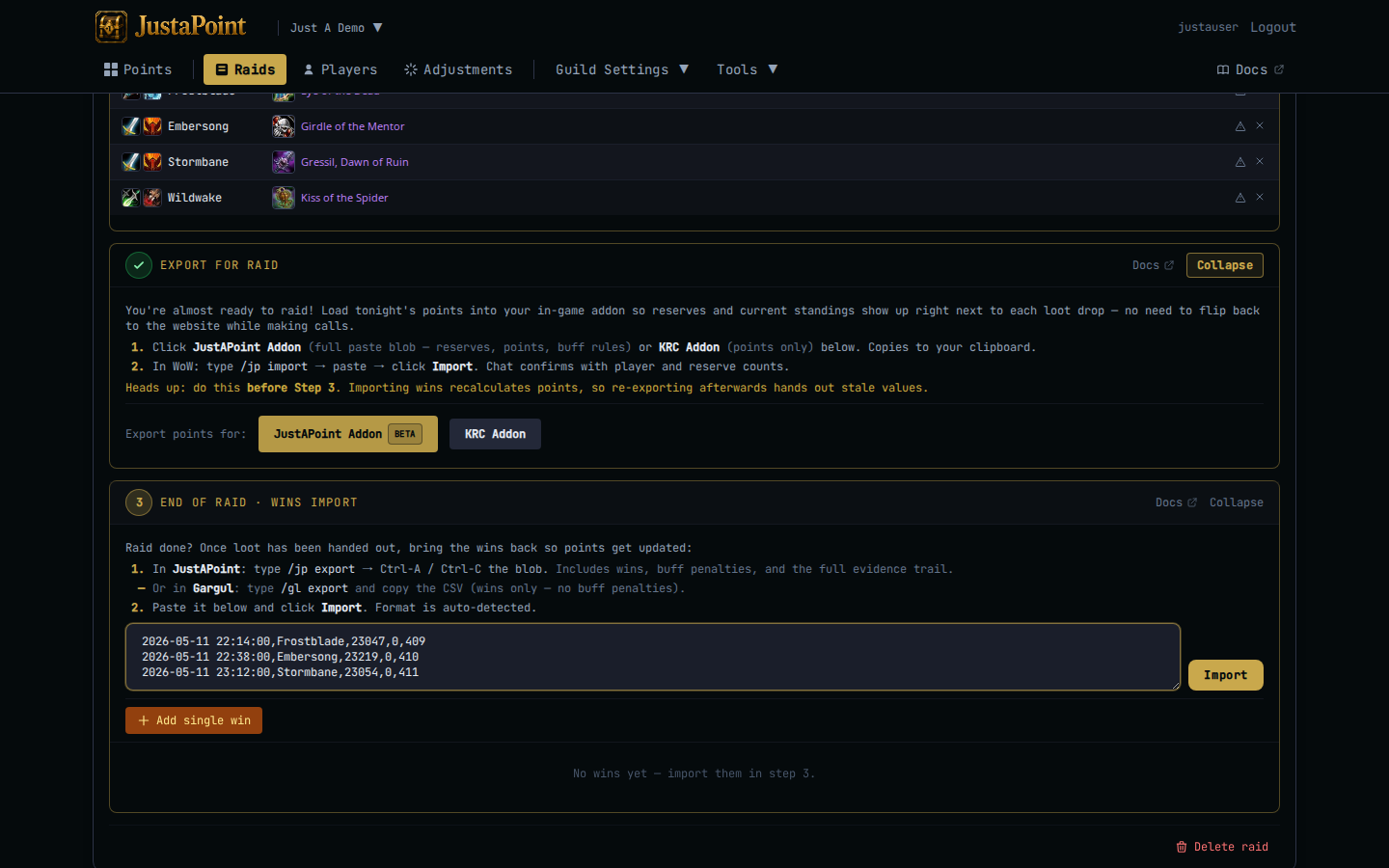
Gargul doesn’t carry point penalties, so a Gargul-only import only records the wins. If your group needs penalties, either layer them in by hand with Adjustments, or switch to the JustAPoint addon.
SoftRes export
For groups that record wins in softres.it itself, the SoftRes export comes out as a semicolon-delimited blob:
@SR;@ITEM;@WINNER;@ID;@DATE
1;Sulfuras, Hand of Ragnaros;Arthas;17103;2026-04-22
Or headerless. Same idea — paste, click Import.
What lands
Each row becomes a WIN event on the raid:
player— the winner.item_id— the item they won.- The reserve event (
SR) for the sameplayer + itemon this raid is read but not deleted; it stays as the historical record of the reserve. - The points balance for that
player + itemresets to zero. Past raids’ SRs still appear in the player’s history, but the running total drops to nothing on that item.
Heads up: wins whose stamped date doesn’t match the raid’s date are silently discarded. This is the system catching the most common slip — pasting last week’s blob into this week’s raid. If you see “Added 0 wins” or “Added 2 of 5 wins”, check the raid’s date in the card header against what the export contains.
Buff penalties
If your group has buff rules enabled, the JustAPoint addon’s export carries a penalty for each roll where the rule wasn’t satisfied — typically missing world buffs at boss-pull. These land as negative adjustments tagged to the raid, NOT as separate wins. They reduce the player’s banked points on tracked items by the configured amount.
Penalties show up in the raid’s events list with event=ADJ and a reason like “missed Songflower at Ragnaros”.
Re-import
If the first import was wrong (last week’s blob, partial export, etc.) clear the night’s wins first:
- Open the raid in edit mode.
- Expand the wins list inside Step 3 (or the Wins tab if you’ve clicked Done already).
- Click Clear wins at the top of the list.
- Re-paste the correct blob.
You can also delete a single win row from the list with the × button — useful when one row was mis-stamped and the rest of the import was clean.