
Export to the addon
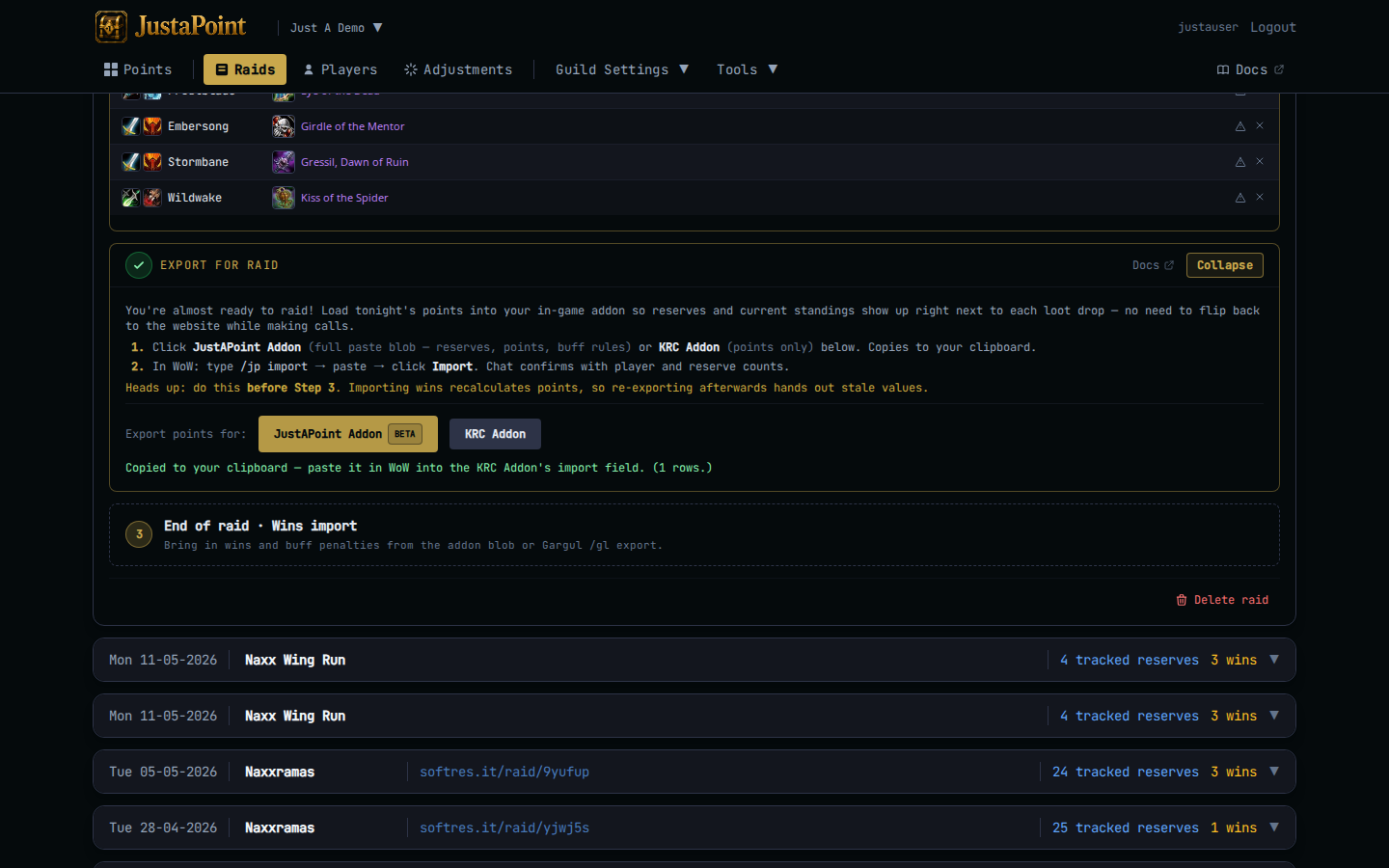
Export to addon is the handoff between the website and your in-game loot addon. You click it after reserves are loaded, paste the blob in WoW, and from there the addon ranks rolls live as items drop. Once any win is recorded for the raid the snapshot goes stale and the button locks — so do this before pull, alongside buffs and consumes.
Two addon paths, same export button cluster.
JustAPoint Addon
The full export. Click JustAPoint Addon in the Step 2 card. Browser writes the blob to your clipboard. Status message confirms “Copied to your clipboard — paste in-game with /jp import”.
The blob carries:
- The full roster — every reserved player tonight.
- Each player’s current point balance on each tracked item.
- The buff rules set, if you have one (buff rules explain how those work).
In WoW: /jp import opens the import window. Paste, click Import. Addon chat confirms with player and reserve counts.
From there the addon takes over. When the loot caller calls a roll on a reserved item, the addon ranks the rollers by roll + banked_points and posts the order to raid chat. Reservers with more banked points outrank reservers with fewer.
KRC Addon
The points-only export, for groups still on KRC. Click KRC Addon instead. Same clipboard idea, different blob shape — KRC’s TSV format with columns KRC’s /krc slash command expects.
KRC doesn’t read the JustAPoint buff-rules block, so this export is functionally a subset of the JustAPoint one. Pick whichever addon your group already runs.
Why “before pull”
The blob is a snapshot of point balances at the moment you click. If you export, then import wins, then re-export, the second export contains the post-win balances — which means players who already won tonight would be priced into tomorrow’s rolls at zero, but tonight’s caller would think they had nothing banked when in fact they had banked them earlier this same night.
The card prevents this by tinting Step 2 gold once wins are imported and asking for an explicit re-open click. You CAN re-export after wins (rare cases — e.g. you imported the wrong wins and are starting Step 3 over), but the gold tint is the system saying “make sure you mean it”.
If you forgot to export before pull, do it now with the current snapshot. The addon will still rank rolls correctly for items that haven’t dropped yet.
What raiders see
Inside the JustAPoint addon: a panel listing every reserver and their banked points for each tracked item. The addon checks roll messages in raid chat against this panel and posts the ranked order automatically. From the raider’s perspective it just works — they /roll on their reserve, they see who has priority before the loot caller does.
If your group has buff rules enabled, the addon also takes a buff snapshot at raid-readiness and again at boss-pulls, and stamps any roll-time penalties into the end-of-raid export. See buff rules for what those rules look like.
Re-export
Hit the JustAPoint Addon or KRC Addon button again. Same blob, refreshed to whatever the current state is. Common reasons:
- A raider you forgot to add joined late and you imported their reserve in step 1.
- You manually adjusted someone’s points mid-raid via Adjustments.
- The first import in WoW errored and you need a clean paste.
If wins are already imported, the card is gold-tinted — click Collapse then re-open to confirm.