
How the points math works
Points are how the system encodes “loyalty over time” without bookkeeping. Every reserve on a tracked item adds a fixed step to that player’s balance for that item. Every win on the same item resets that balance to zero. The roll-time advantage is the difference between the highest-banked reserver and everyone else.
Three numbers drive everything. They’re per-guild and live under Settings → Config.
- step — points added per reserve. Default 5.
- cap — max points one player can hold on one item. Default 30.
- (There’s no decay number — points only reset on a win, by design.)
What happens when
A reserve on a tracked item:
balance(player, item) = min(balance + step, cap)
A reserve on an untracked item:
no effect on any balance
A win on any item (tracked or not):
balance(player, item) := 0
An adjustment:
balance(player, item) := balance + delta (delta can be negative)
That’s it. The points page, the export blob, and the in-game addon all read the same running balance.
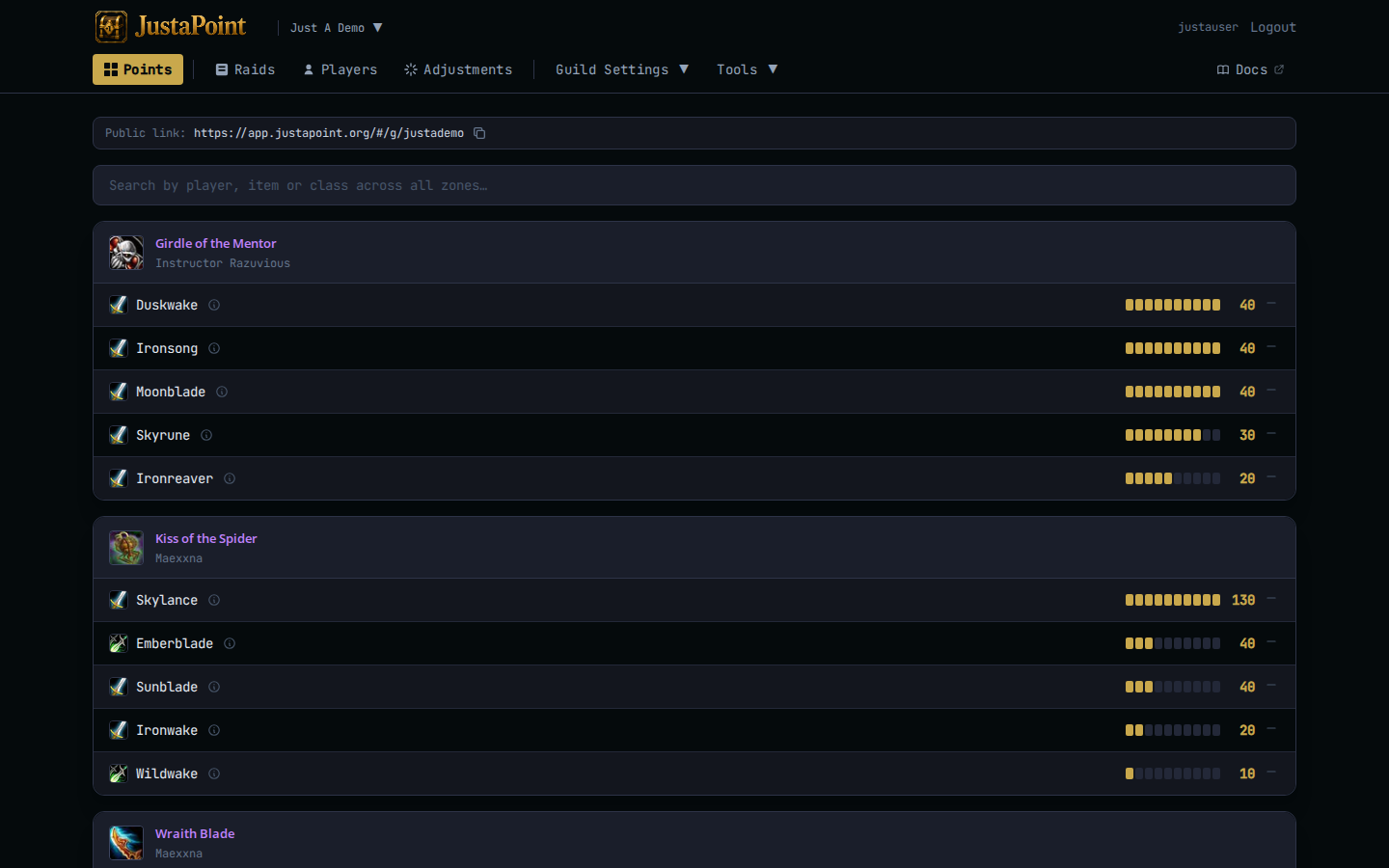
Worked example
step=5, cap=30. Arthas reserves Maladath every week starting week 1.
| Week | Event | Maladath drops? | Arthas wins? | Balance after |
|---|---|---|---|---|
| 1 | SR | no | — | 5 |
| 2 | SR | no | — | 10 |
| 3 | SR | yes | someone else wins | 15 |
| 4 | SR | no | — | 20 |
| 5 | SR | yes | Arthas wins | 0 (reset) |
| 6 | SR | no | — | 5 |
Note week 3 — Maladath dropped, but the win went to someone else. Arthas’s reserve still landed and his balance still ticked up. The reset only fires on the winning player’s row.
Why the cap exists
Without a cap, a four-month consecutive reserver outranks a four-week one by 80 points to 20. The cap puts an upper bound on “loyalty advantage” — past that, reserves still record (the history shows them) but the in-game roll-time advantage stops growing.
Tune the cap to match how long you want a streak to matter. Cap=30 with step=5 = six raids of streak before you plateau. Cap=15 = three raids. Cap=∞ doesn’t exist; if you want it effectively unbounded set cap to 999.
Audit a number
Every number on the public points page is auditable. Hover or click the ⓘ icon next to a player’s name on an item row — a popup opens with the running per-item history:
- Each SR row shows the previous balance → the new balance.
- Each ADJ row shows the delta and the reason.
- Each WIN row shows the reset.
- The popup folds adjustments into the running balance — what you see lined up matches what the addon will use tonight.
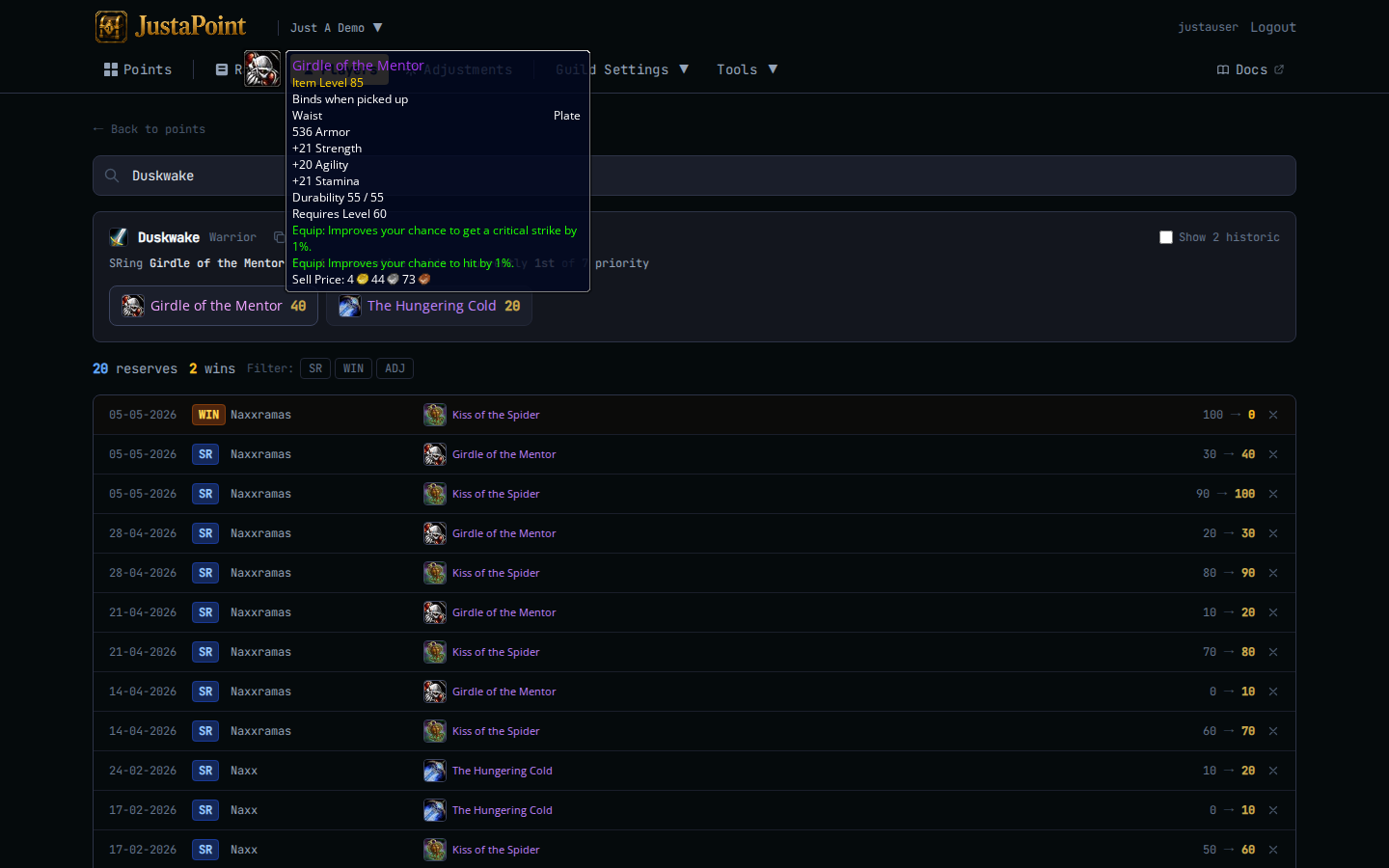
If a raider asks “why is my number what it is” the popup is the answer. No officer math, no DKP audit. They click, they see.
Untracked items
An untracked item shows on the raid’s reserve list (officers want to see who put their name down) but contributes zero to that player’s points. The points page groups untracked items at the bottom of each instance, tagged “no longer tracked”, with frozen balances from whatever they were when tracking stopped.
If you track a previously-untracked item, new reserves start ticking up from the existing balance. If you untrack a previously-tracked item, the balance freezes — wins still record, but reserves no longer add.
Adjustments fit underneath this
Adjustments are the only way to nudge a balance that doesn’t come from a reserve or a win. They’re per (player, item) and can be positive or negative. See Adjustments for when to reach for one.
The math doesn’t change: an ADJ is just another event walking the balance up or down. The cap still binds.