
Share the public link
The public link is the URL where your raiders see their standings, history, and the math behind their numbers — no login, no install. You share it once (usually pinned in your raid Discord) and they bookmark it. Anyone with the URL sees the full standings, which is the point — JustaPoint works because raiders trust the system enough to audit it.
Find and copy the link
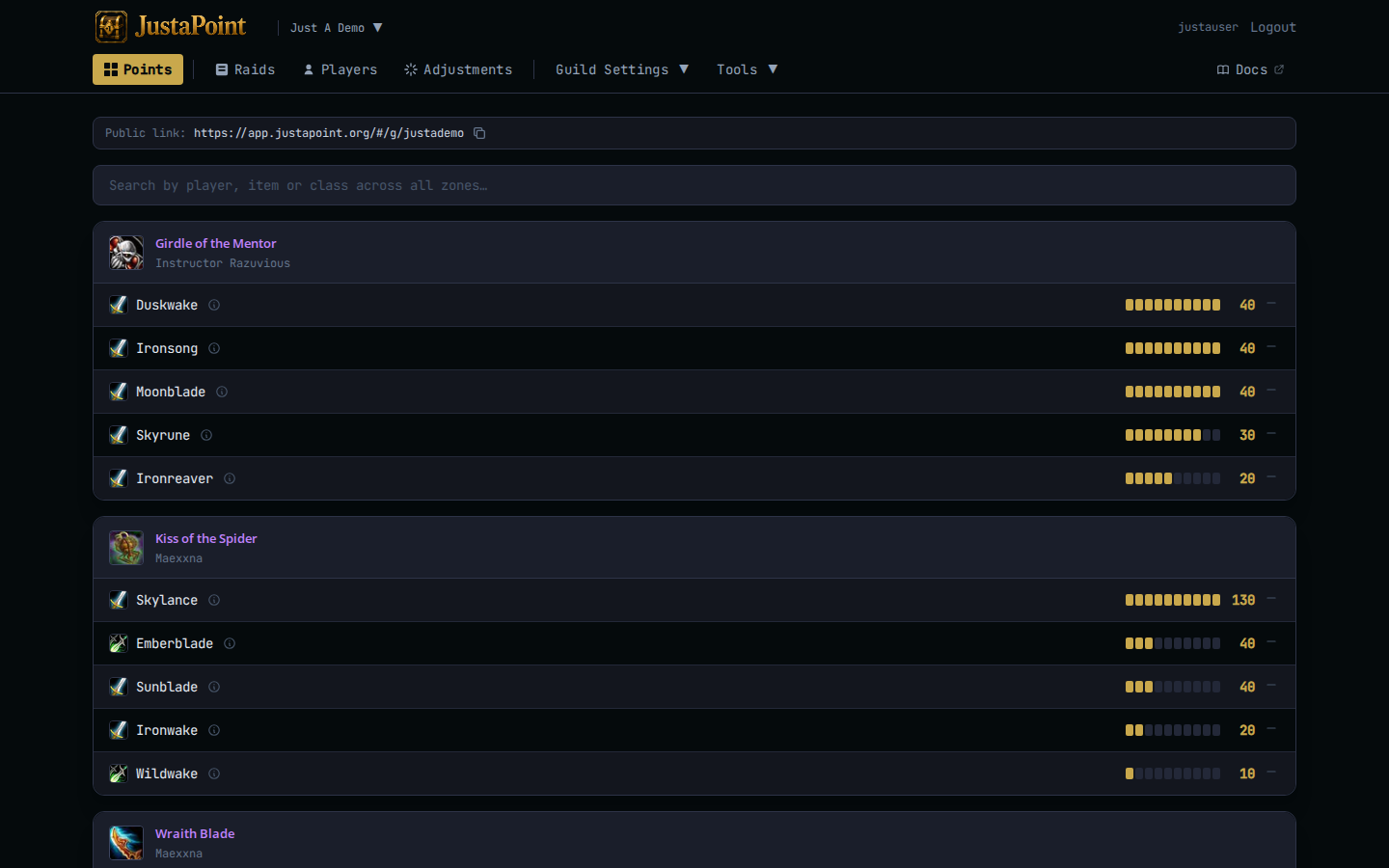
Top of the points page on the website, the Public link banner shows the URL with a copy icon. One click → clipboard.
Paste it in your raid Discord. The pinned-in-#loot pattern works best — that way someone joining the group three months in still finds it without asking.
The URL is app.justapoint.org/#/g/<your-slug>. It’s the same URL whether they’re signed in or not; the page itself shows admin affordances (penalty buttons, the export button) only to logged-in officers.
What raiders see
A list of every tracked item your group has banked points on, grouped by instance (MC / BWL / AQ40 / Naxx), sorted by current top reserver. Each item card shows up to five reservers — the rest collapse behind a “Show 8 more” toggle.
For each player+item row:
- Class icon and name (links to that player’s history page).
- Banked points as a number.
- A 10-pip bar showing where they sit relative to the cap.
- A ⓘ tooltip trigger that opens a per-item history.
The hover popup walks every SR, WIN, and ADJ that affected this player’s balance on this item. That’s the audit trail. See Understand your points for what raiders should look for.
Search bar
Top of the page: a single search box. Typing a player name filters to just that player’s rows across every item. Typing an item name filters to that item across every reserver. Typing a class name (Warrior, Mage) filters to that class.
Useful for the raider who just wants their own row, or the officer who wants to see who’s at 25 on Sulfuras before tonight’s reserves go in.
Per-player history
Click a player’s name on the points page (anywhere — every row links). Their full history page opens at /g/<slug>/player/<name> — here’s an example on the demo guild. Every event, every raid they reserved on, every win they took, every adjustment, in chronological order.
This is the page a raider lands on when they ask “why is my number what it is on Sulfuras”. The hover popup answers it for one item; the history page answers it for all of them.
Heads up: the link is the loot record
There’s no private mode, no “officer-only” data. Everything tracked is on the public link. That’s intentional — the audit value falls off a cliff the moment any of it is hidden.
If you don’t want a raider to see what you adjusted on their balance, don’t adjust it. (Or write a reason that explains it to them; reasons surface in the popup.)