
Your members
Members are the people with admin access to your guild on the website. Raiders themselves don’t need accounts — they read the public points page anonymously. So this list is short: the people who run raids and handle loot, not everyone in the roster.
Two roles:
- owner — full access, plus member management. The user who created the guild starts as owner. You can have more than one.
- officer — full access to raid/points/items pages. Cannot invite, promote, or remove other members.
That’s it. There’s no read-only role, no per-page permissioning. If you trust someone enough to import wins, you trust them with everything.
Invite an officer
Settings → Members in the top nav (owner only). Click Invite member, type their account email, pick the role. They get an invite link in their profile next time they sign in.
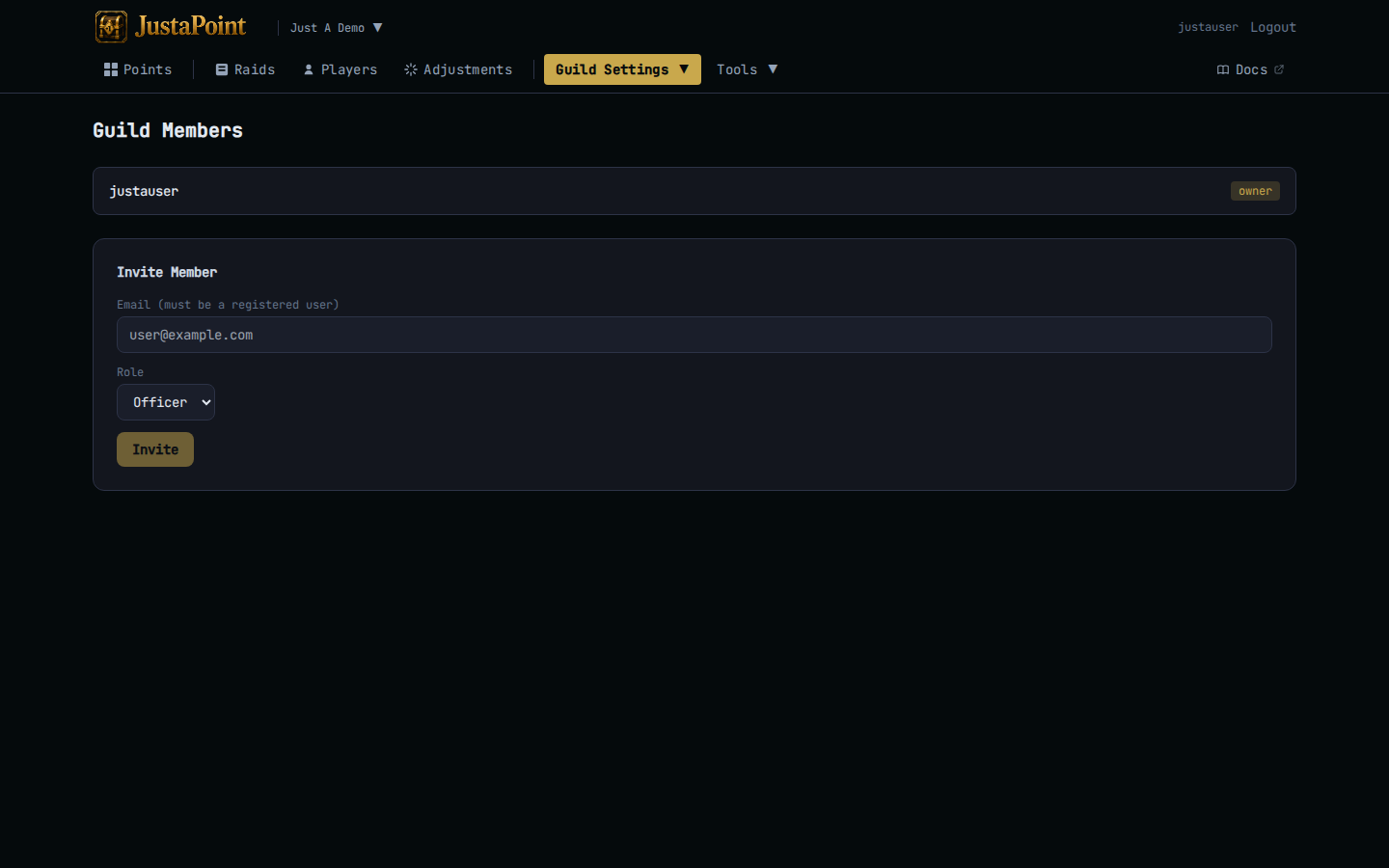
If they don’t have an account yet, they need to register first. Once they’re registered, the invite shows up under their Profile → Pending invites.
The invitee accepts and they’re in. No email is sent — the link is in their profile.
Promote, demote, remove
In the members table:
- Promote an officer to owner — they get member management. There’s no limit on owners per guild.
- Demote an owner to officer — they lose member management but keep raid/points access.
- Remove — pulls them off the guild entirely. They keep their account; they just can’t see this guild’s admin pages any more.
The system won’t let you remove the last owner of a guild. If you’re stepping away, promote someone else first.
A raider quit
Raiders don’t have accounts, so there’s nothing to remove. Their reserve and win history stays on the guild forever — that’s what the points page audits. If they were the only reserver on a tracked item and the item never drops again, the row sits at zero forever; no harm.
If a raider’s name was misspelled and the misspelling is now sitting in your data, there’s no rename tool. The escape hatch is to layer in an adjustment on the misspelled row to zero them out, and re-import them under the right name on the next softres.
You quit
If you’re the only owner of the guild and you want to leave:
- Promote someone else to owner.
- Demote yourself to officer (optional but cleaner).
- Either remove yourself from the guild, or just stop signing in.
If you delete your account entirely, your owner-ness on the guild transfers to whoever was promoted to owner. The guild itself persists — its data outlives any single user.