
Multiple guilds
Multiple guilds means one user account can own or officer more than one guild on JustaPoint. Each guild has its own roster, its own tracked items, its own points, its own raids — they don’t share data, and a raider’s standing in one guild is invisible to the others.
Useful when:
- You run two separate raid teams (different nights, different members) and want one login for both.
- You’re a guest officer in a friend’s group and run your own group too.
- You’re testing a new tracked-items list in a sandbox guild before applying it to your main.
What’s scoped per guild
Everything you’d expect:
- Tracked items (
is_trackedflag — though the catalog of items themselves is shared globally). - Per-guild step and cap.
- Raids, reserves, wins, adjustments.
- Buff rule sets and their default flag.
- Members and their roles.
- The slug in the URL (
/g/<slug>/— try the demo). - The public points page each raider bookmarks.
If you change step from 5 to 10 in guild A, guild B is unaffected.
What’s shared
Two things:
- The item catalog. Every WoW item that exists in the system (icon, name, instance, boss, quality) is shared. Tracking Sulfuras in guild A and untracking it in guild B works fine — only the per-guild
is_trackedflag differs. - User accounts. You sign in once and the Guilds dropdown in the header shows every guild you have a role on. Switch between them.
That’s it. No “transfer player from guild A to guild B” tool exists — they’re separate ledgers.
Switching between guilds
The guild dropdown in the top-left of the header lists every guild you’re a member of. Pick one, the URL changes to /g/<that-slug>/admin/..., and every page reads from that guild’s data.
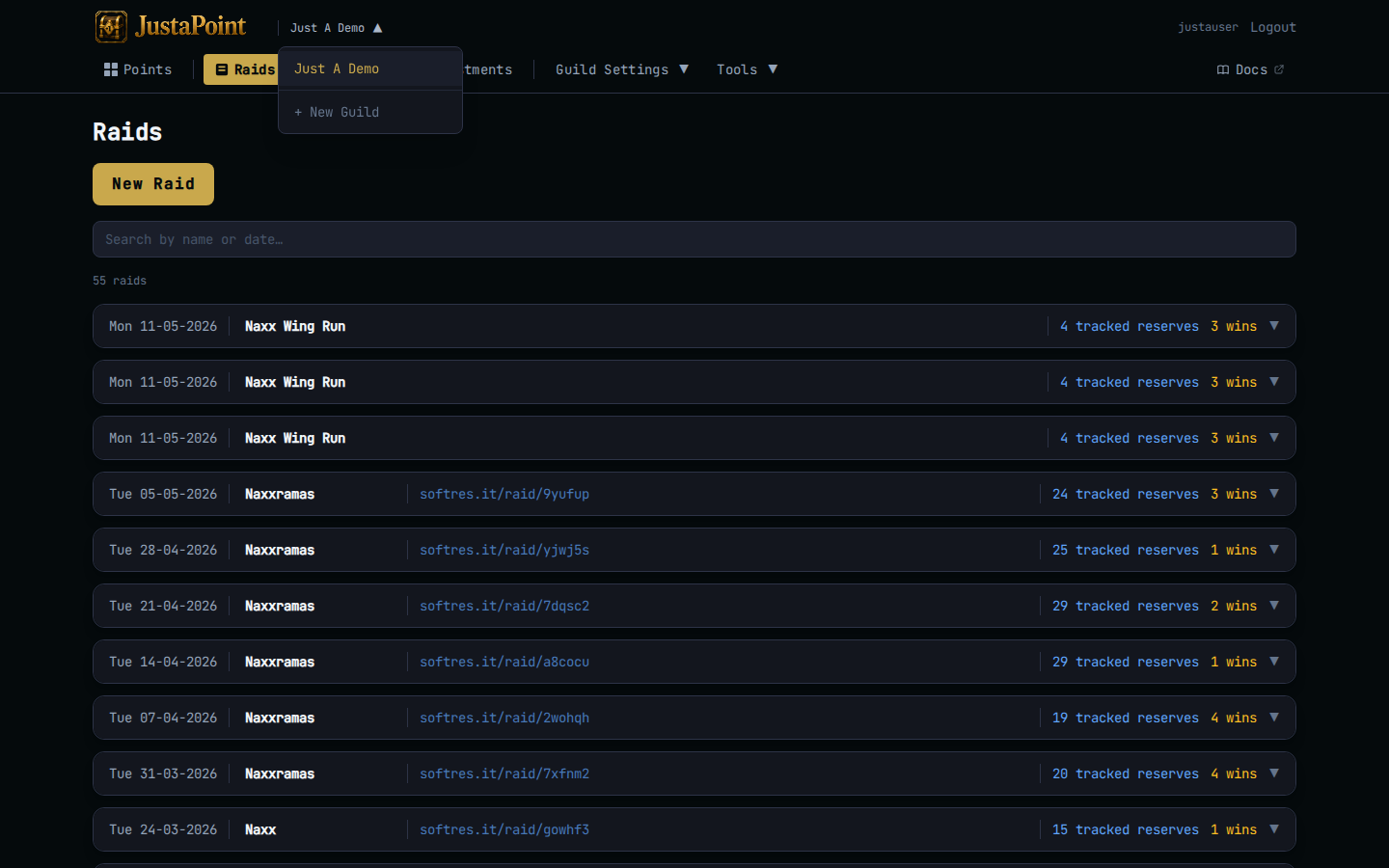
The public points page works the same way — /g/<slug> reads only that guild’s data (demo). Anyone with the link sees the page, no login.
Create a new guild
Guilds in the top-right of the header (when you’re not on a guild page), or jump to the guilds page directly. Click Create guild, pick a name and a slug. The slug appears in every URL — pick something short, all-lowercase, no spaces (e.g. justapug, meaw, weeknight-naxx).
You’re the owner of the new guild. Invite others under Your members.
Renaming
You can change the guild’s display name freely under Settings → Guild. The slug — the part in the URL — is harder to change because every bookmark and Discord-pinned link points at it.
If you really need to rename the slug, ask the site admin (/admin) to do it. The rename moves the data atomically; existing bookmarks 404 from the moment of the rename.
Deleting
There’s no “delete this guild” button in the UI on purpose — the data is more valuable than the convenience of a one-click destroy. If you genuinely need to delete a guild (test guild that polluted your dropdown, abandoned roster), ask the site admin to drop it. They’ll back up the DB first.