
Tracked items
Tracked items are the items where people can accumulate points. These are usually the most in-demand items or items that drop very infrequently. Having too many here can put raiders off joining — they won’t feel able to win anything — so keep the list focused on the BiS pieces that help you keep your best players and attract new ones.
A reserve on a tracked item adds points. A reserve on an untracked item is recorded (you see it on the raid’s reserve list) but adds zero. A win on either resets the balance.
Choose your list
The items page lives at Items in the top nav. The catalog is shared across guilds — every item that’s ever been reserved anywhere in the system is here — but the “is_tracked” flag is yours alone.
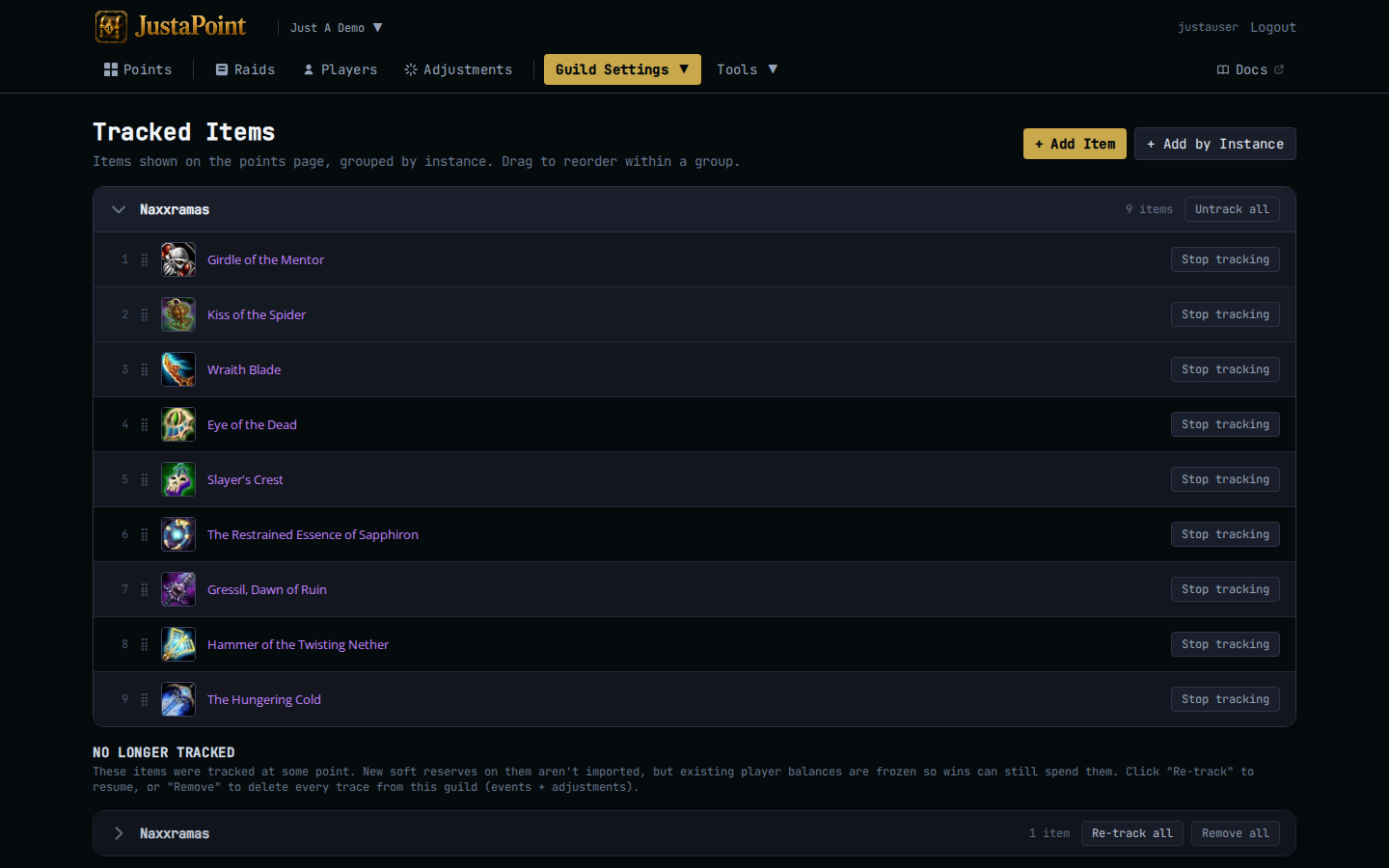
Two ways to add items to your tracked list:
+ Add by instance. The fast path. Pick an instance (Molten Core, BWL, AQ40, Naxx) and the panel shows every item that drops there, grouped by boss, with bulk-select. Tick the items you want to track and click Track selected. Use this for the first-time setup — track the BiS pieces and the rare epics, skip the trash.
Search and toggle. The slow path. Type an item name in the search box at the top of the table, click the row’s Track button. Use this when one item slips through the bulk-add net.
How much is too much
A working rule: track items that at least 3-4 raiders would compete over. If only one raider has ever wanted it, it doesn’t need a points system — it’s their item by default. If half the raid wants it, it absolutely does — that’s where soft-reserve pressure builds.
For a Classic Era raid running MC + BWL + AQ40, expect roughly 40-60 tracked items. For a single-instance group running just Naxx, expect 20-30. If you find yourself tracking 150 items the list is too long — your points page will show empty rows for items nobody has banked, and new raiders will scroll past confused.
Untrack an item
Hover the row in the tracked-items table, click Untrack. The item moves to the untracked section. Existing balances freeze — players who already had banked points keep them, but new reserves on this item no longer add.
Wins still record on an untracked item. The reset happens, the banked balance drops to zero, the public page hides the row.
Heads up: untracking is reversible — re-tracking picks up the frozen balances and continues from there. So don’t agonize. If you decide mid-tier that “actually, this trinket isn’t that contested any more”, untrack it and move on.
What untracked means for the night
On the raid’s reserve list (the embedded list inside Step 1) every reserve shows, tracked and untracked alike, so the loot caller can see who put their name down. The reserves on untracked items have a muted tag next to the item name so they don’t get confused with tracked rows.
In the addon: same. Reserved on an untracked item shows up in the in-game roster, but with zero banked points — the addon won’t rank rollers on items it knows aren’t tracked.