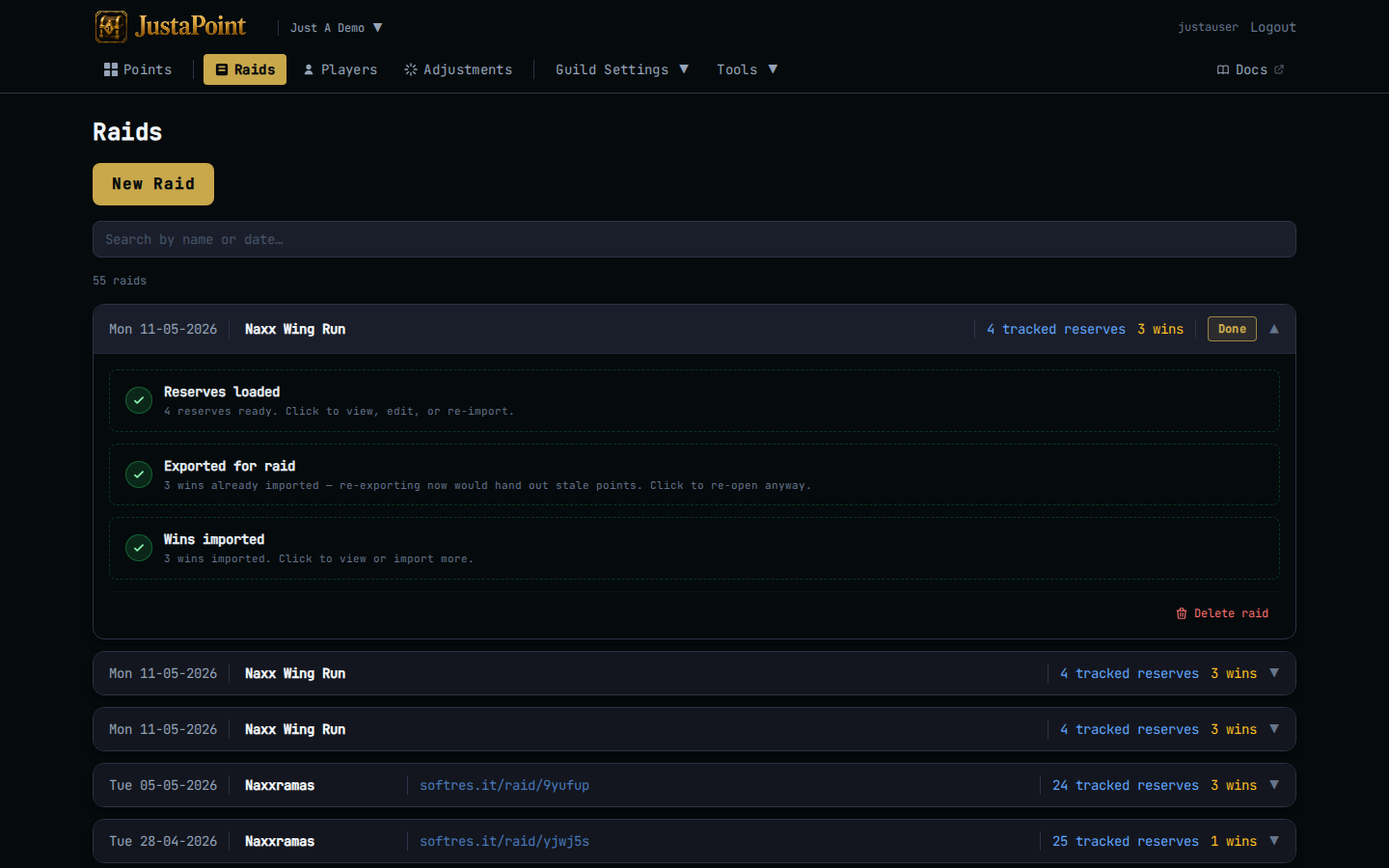
Import a SoftRes
Reserves are how the system knows who’s eligible for what tonight. You load them into the raid card in Step 1, and from there they drive the points blob your addon reads and the order of /roll resolutions in-game.
Two ways in: a softres.it link (the common path) or a pasted CSV (the fallback). Same destination, same data shape.
By softres.it link
Default mode of Step 1. Paste the softres.it/raid/<token> URL and click Load from SoftRes. The website calls softres.it’s public API, transforms the response into the canonical CSV shape, fills in the raid date and instance name from the softres metadata, and imports the rows in one transaction.
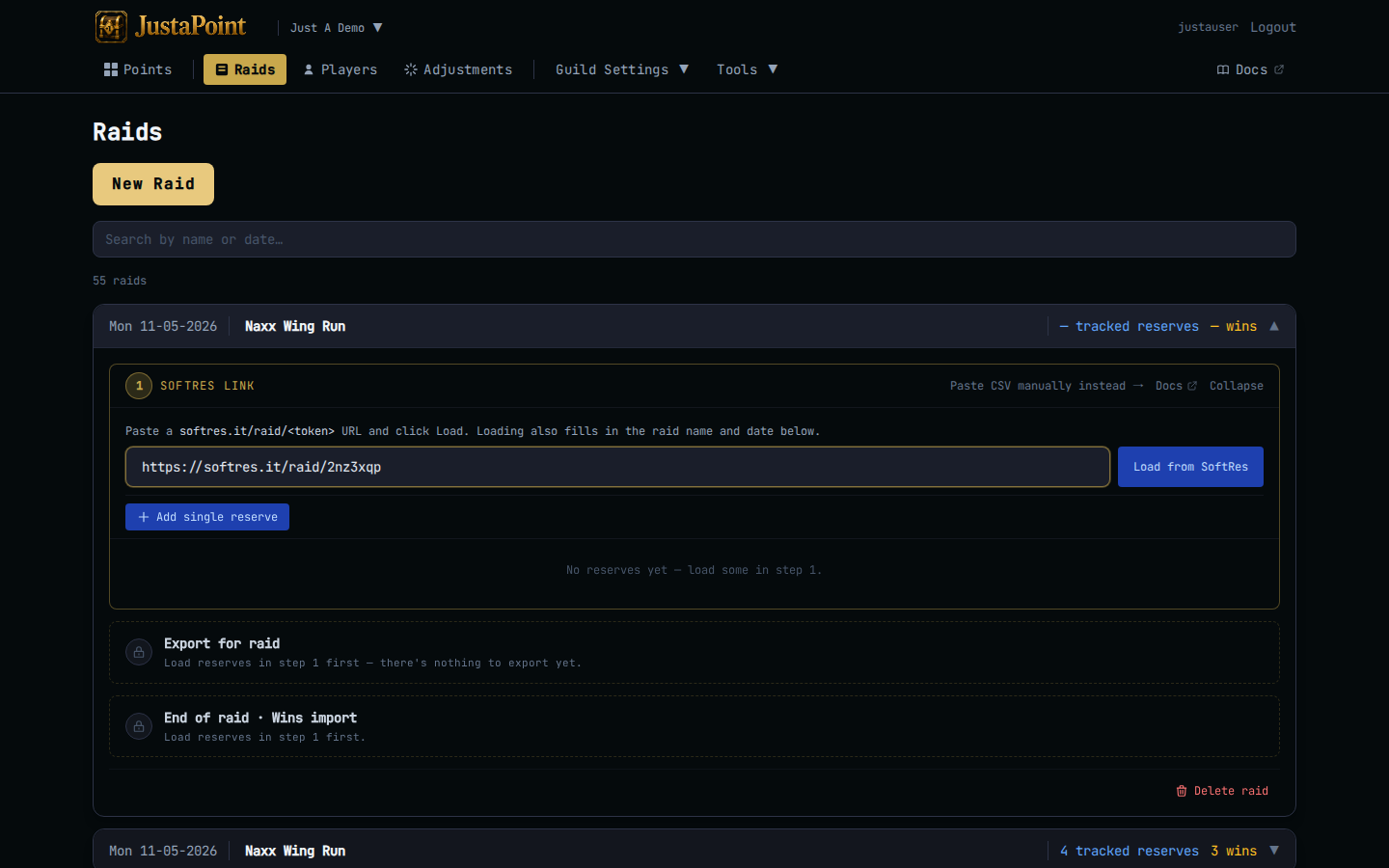
The toast confirms “Loaded N reserves from SoftRes.” The card’s counter updates to “N tracked reserves” — only reserves on items in your tracked list earn points.
Heads up: the date softres.it returns wins over whatever was in the raid’s date field. If your softres has the wrong date the raid will too — fix it inline in the card header by clicking the date button.
By pasted CSV
Click Paste CSV manually instead → in the Step 1 card header. The card switches to a textarea expecting a SoftRes-shaped CSV:
Item,ItemId,From,Name,Class,Spec,Note,Plus,Date
"Sulfuras, Hand of Ragnaros",17103,Ragnaros,Arthas,Warrior,Fury,,0,"2026-04-22 19:00:00"
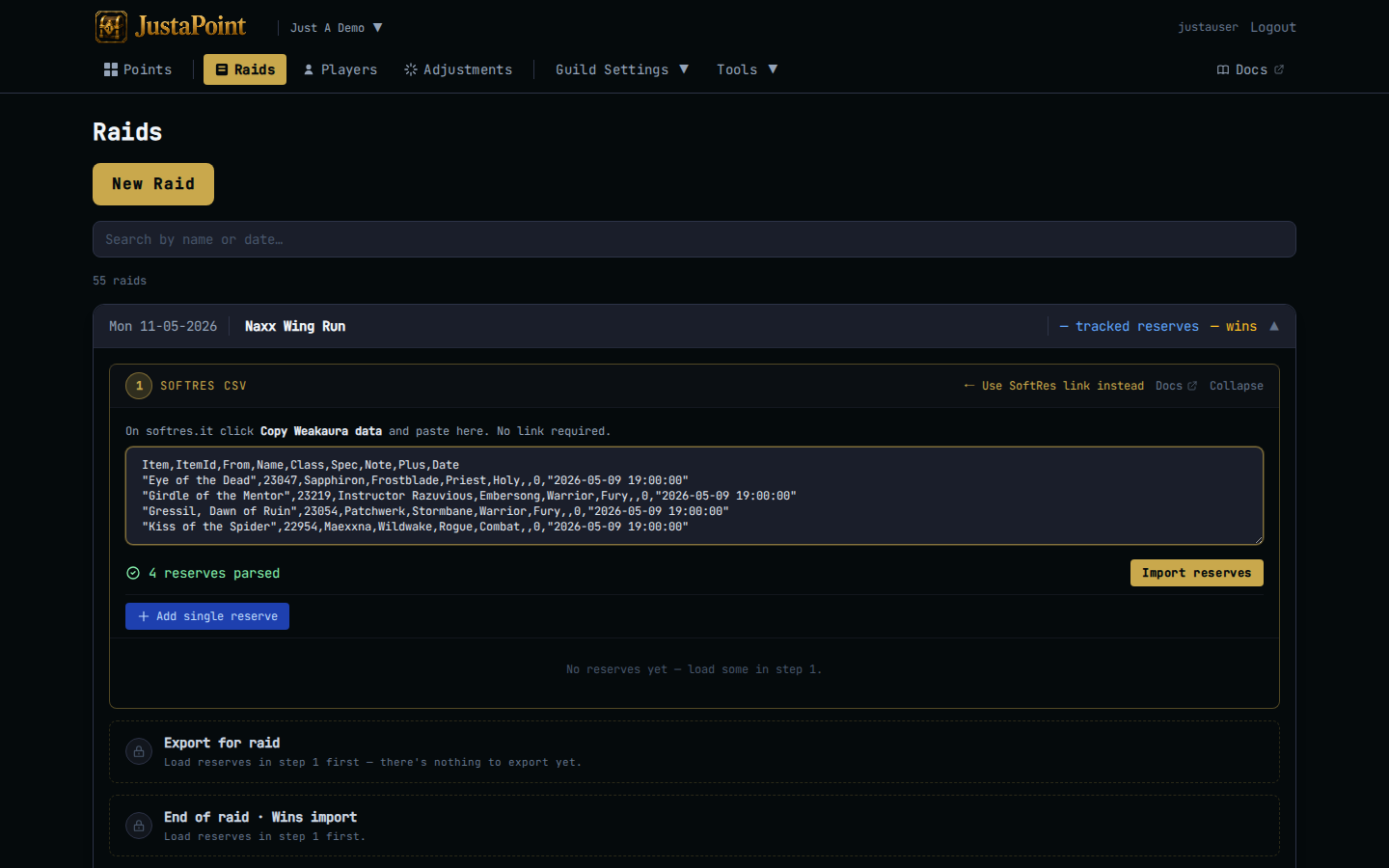
The confirmation line reads “N reserves parsed” once your paste is valid. Click Import reserves to commit.
Use this when softres.it is down, when your group ran reserves in a Discord thread, or when you need to bolt one extra reserve onto an already-loaded raid (paste a single row, import, the row appends).
Re-import a SoftRes
The link sticks to the raid. Re-expand Step 1 any time after the first load — the button now reads Refresh from SoftRes. Click it to pull the latest from softres.it. Existing reserves on the raid are replaced with whatever softres now returns.
Heads up: refreshing before Step 2 is fine. Refreshing after Step 3 is dangerous — it would wipe the wins-snapshot tied to the original reserves. The card surfaces this by gold-tinting after wins are in.
What lands on the raid
Each row in the import becomes an SR event on the raid. The event carries:
player— the raider’s name from the From column.item_idanditem_name— the WoW item from ItemId/Item.details— class, spec, note, plus, all packed into a tiny key=value string for later rendering.
The points page reads these events to compute “Arthas has 5 points on Sulfuras”. The export blob reads them to tell the addon “Arthas reserved Sulfuras”. The wins import reads them to know what reserve a win is resolving.
If you want to see the raw rows that landed, open the raid in edit mode and the embedded reserves list inside Step 1 shows every event. Hover a row for delete and per-row penalty affordances.